- First have to install user lock/unlock feature in APIM 1.7.0.
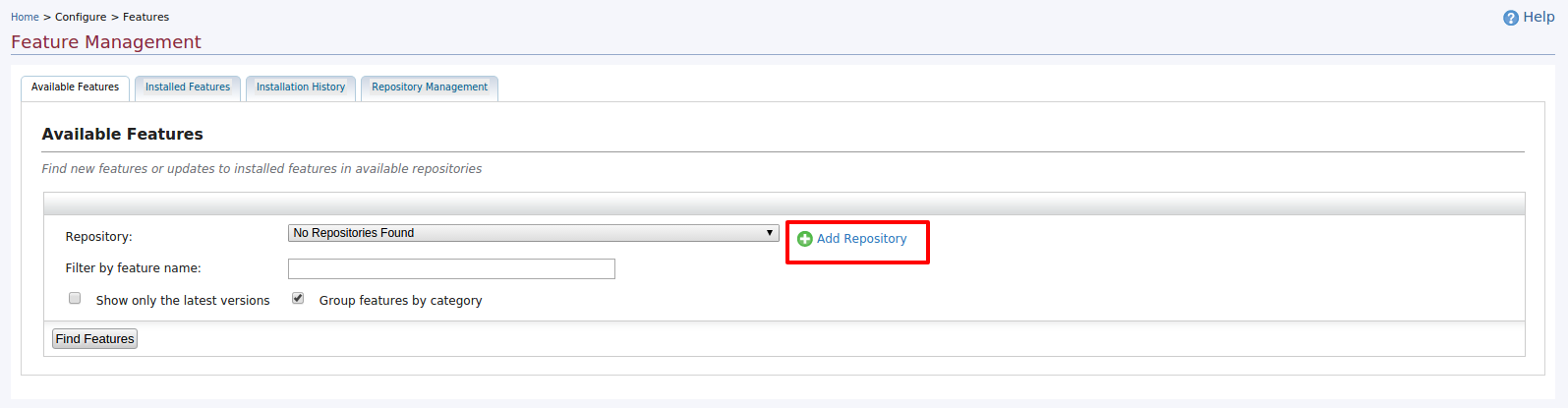
- Login to APIM 1.7.0 management console and navigate to ‘features’ menu via
left menu ‘Configure -> Features’ and select ‘Add Repository’ from shown UI as below.
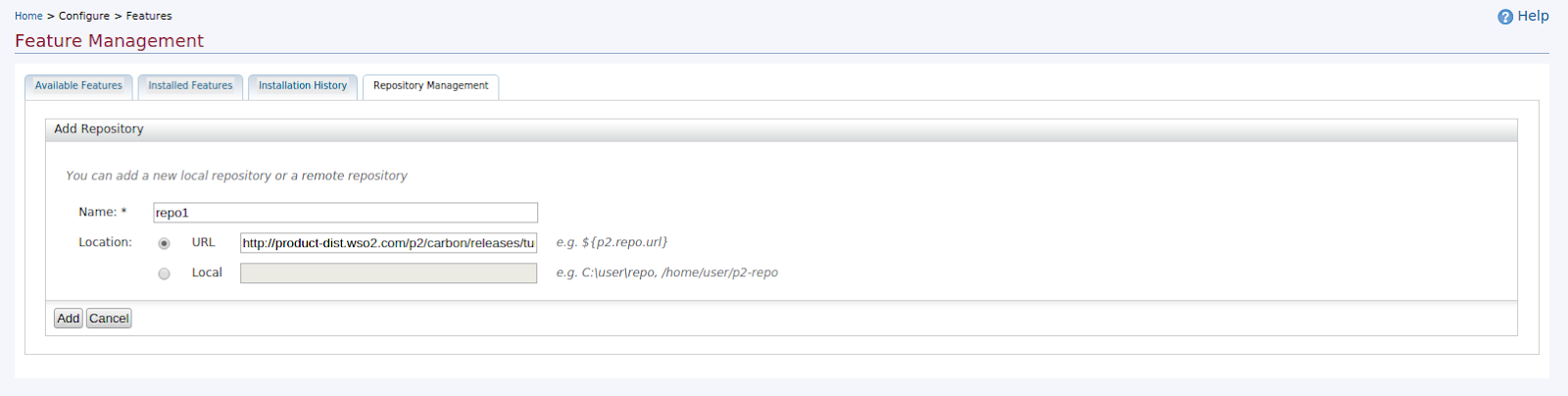
- Then add a new repo with giving the url as http://product-dist.wso2.com/p2/carbon/releases/turing/ and click ‘Add’ button as shown below.
4) Then click on ‘Find Features’ button shown in UI. 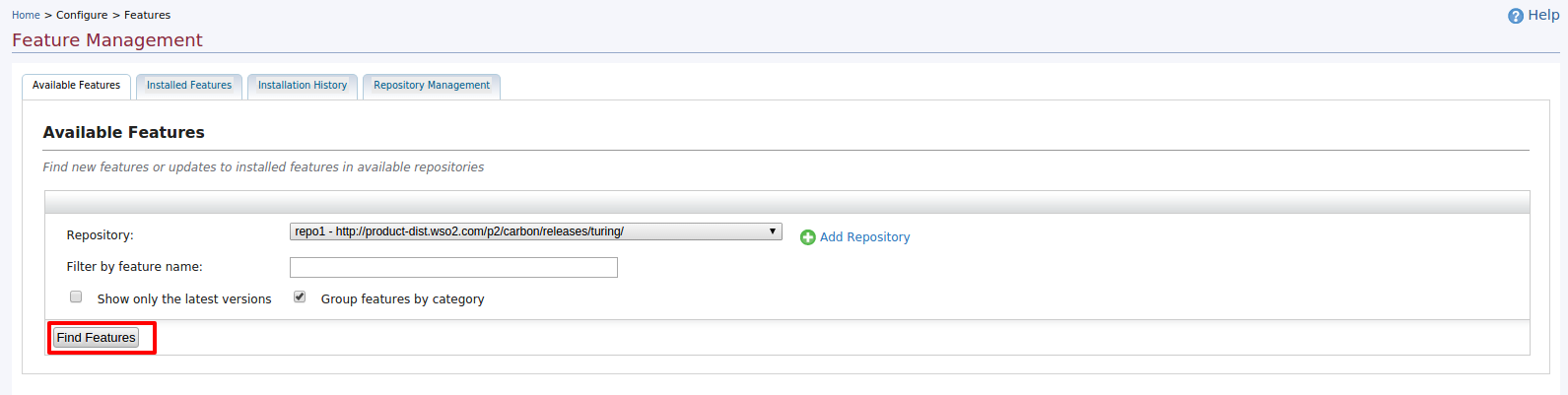
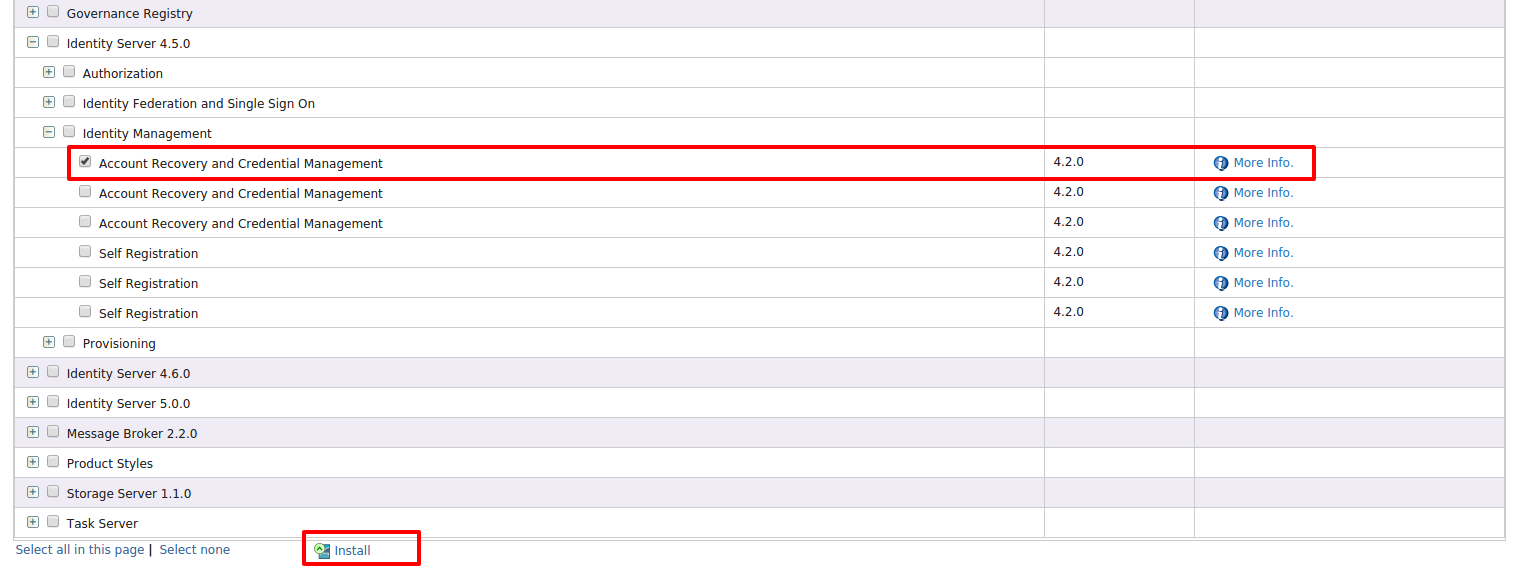
5) There will be a list of features shown based on products. To install user account
locking/unlocking feature to AM 1.7.0,you have to select the feature “Account Recovery and Credential Management -version 4.2.0” from ‘Identity Server 4.5.0 feature group’ under Identity Management features section. Select the feature and click on ‘install’ button as shown below.
6) Then proceed the feature installation process as shown below.

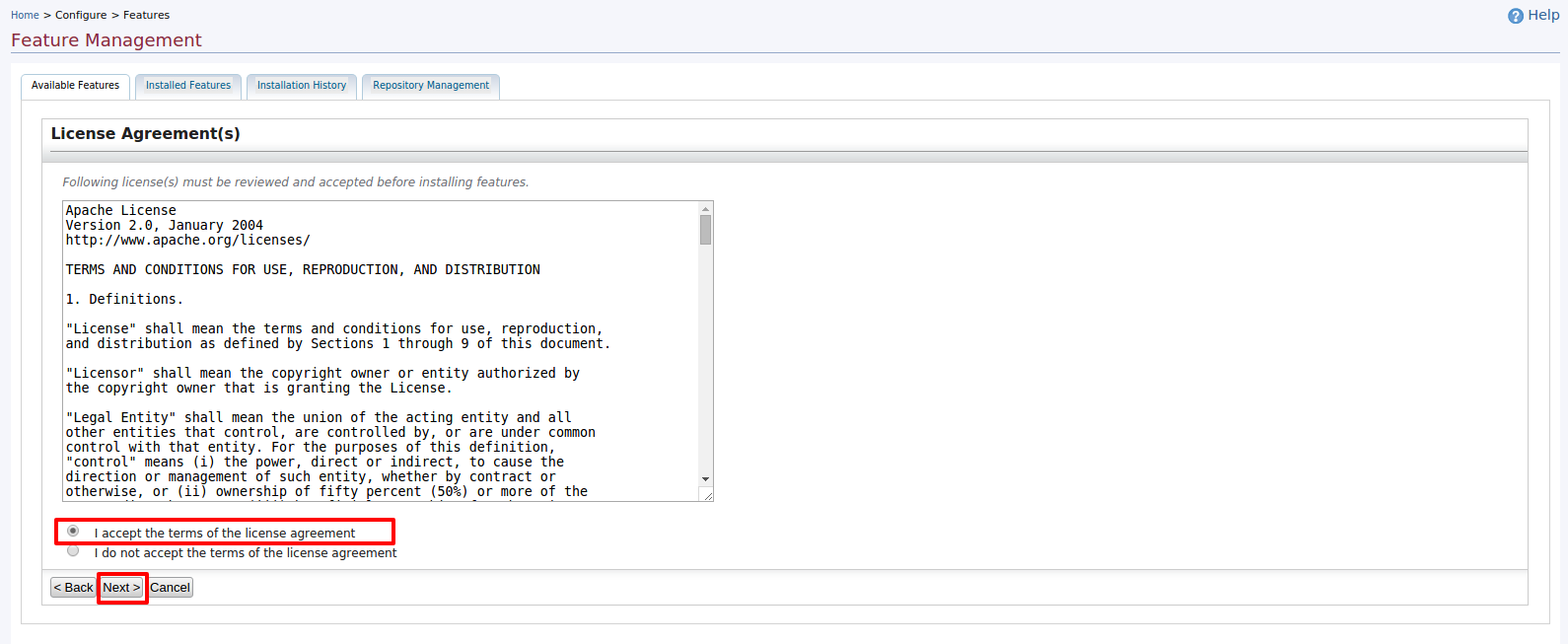
7) Once you successfully installed the above feature,finally you’ll see the below UI.

8) As mentioned in above UI,you need to restart the server before use the account lock/unlock feature. But before restart the server, change the below configuration entries in identity-mgt.properties file located at AM/repository/conf/security to enable locking feature.
Identity.Listener.Enable=true
Authentication.Policy.Enable=true
For more information on configurations on account locking,please refer https://docs.wso2.com/pages/viewpage.action?pageId=30541686
Once you did the above config changes for locking feature,restart the server.
9) Once restarted the server,now create a new user and assign a suitable role.Then lock the user.
You can try locking the user via admin service[https://localhost:9443/services/UserIdentityManagementAdminService?wsdl] or via carbon UI.
Below steps are on how to lock a user from carbon UI.
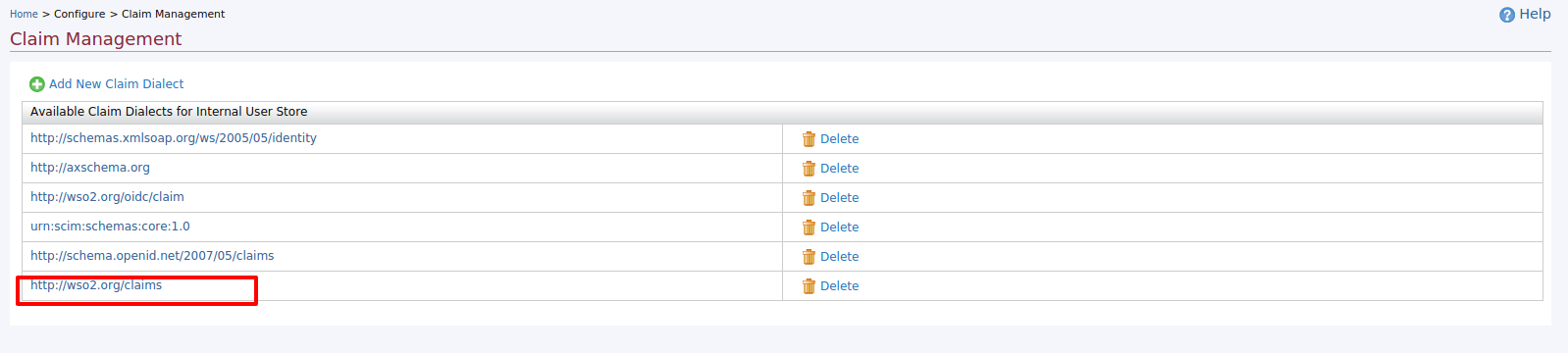
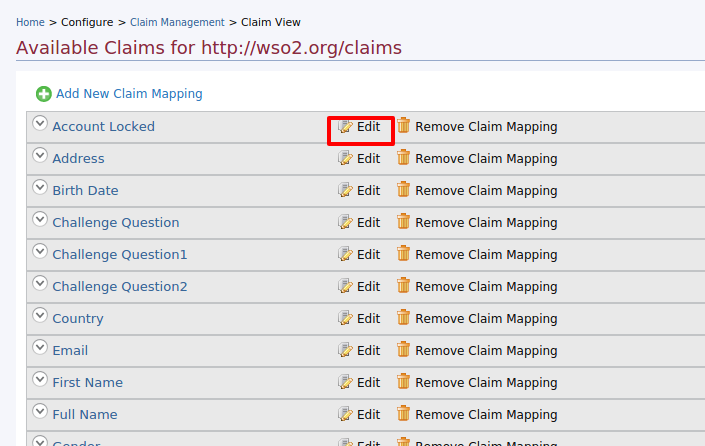
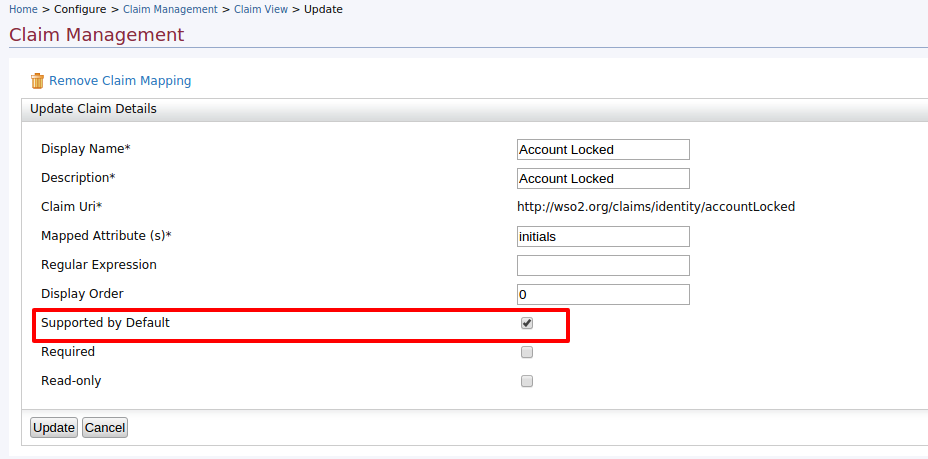
--Go to management console and navigate to Configure->claim management UI.Then set ‘accountLocked’ claim as ‘ supported by default’ true by following below UI flow.
-- Then click on ‘Configure->Users and Roles’ left menu and navigate to users list.Click on ‘User Profile’ link of newly created user.
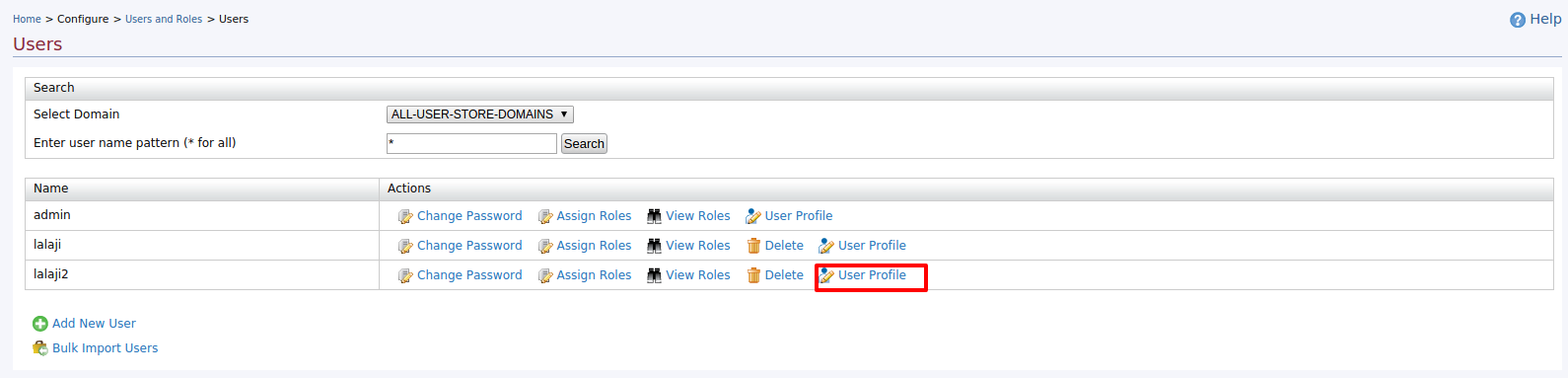
-- Then set the ‘accountLocked’ value as ‘true’ and update the user profile.
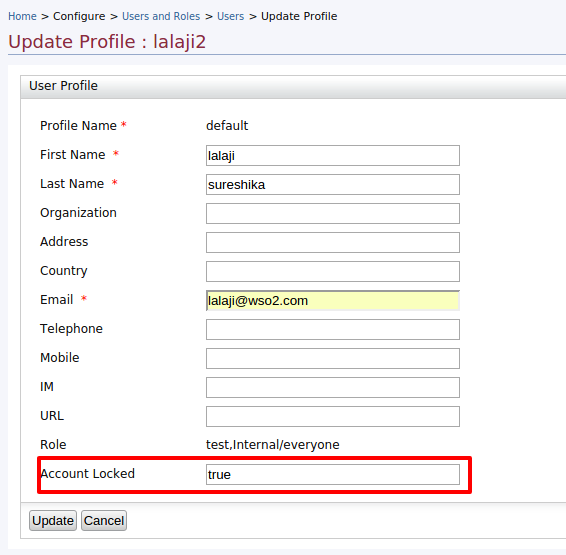
Now the user is locked.
10) Now try to generate the token with giving newly created user’s credentials via password grant type as follows.
curl -k -d "grant_type=password&username=lalaji2&password=xxxx&scope=PRODUCTION" -H "Authorization: Basic RFY0dtNDFJVk50VUl2YXdMeDJubUxFYTozNG9aTmZhQmpHWHdUQmo1N19mT045dHpqaUVh, Content-Type: application/x-www-form-urlencoded" https://localhost:8243/token
You’ll see the below response coming from APIM to client app.
{"error":"invalid_grant","error_description":"Provided Authorization Grant is invalid."}
And following warning and the error will shown in the APIM logs.
[2015-10-19 10:55:36,586] WARN - IdentityMgtEventListener User account is locked for user : lalaji2. cannot login until the account is unlocked
[2015-10-19 10:55:36,586] ERROR - PasswordGrantHandler Error when authenticating the user for OAuth Authorization.
org.wso2.carbon.user.core.UserStoreException: 17003
at org.wso2.carbon.identity.mgt.IdentityMgtEventListener.doPreAuthenticate(IdentityMgtEventListener.java:167)
xxxxxx
Very nice informative blog. Thanks for updating us with latest digital security system. But to secure manuals locks as well important.
ReplyDeleteLocksmith Sydney
ReplyDeleteamazing Article, Thanks for sharing!
Email Login Solution – Your Online Solution Partner
Nice Article,ESSL Biometric is well-known hand held metal detector suppliers have come far in the only remaining century to help treasure seekers and prospectors. Door frame metal detector suppliers
ReplyDelete